
How to automate invoice processing with AI: a practical AP automation guide
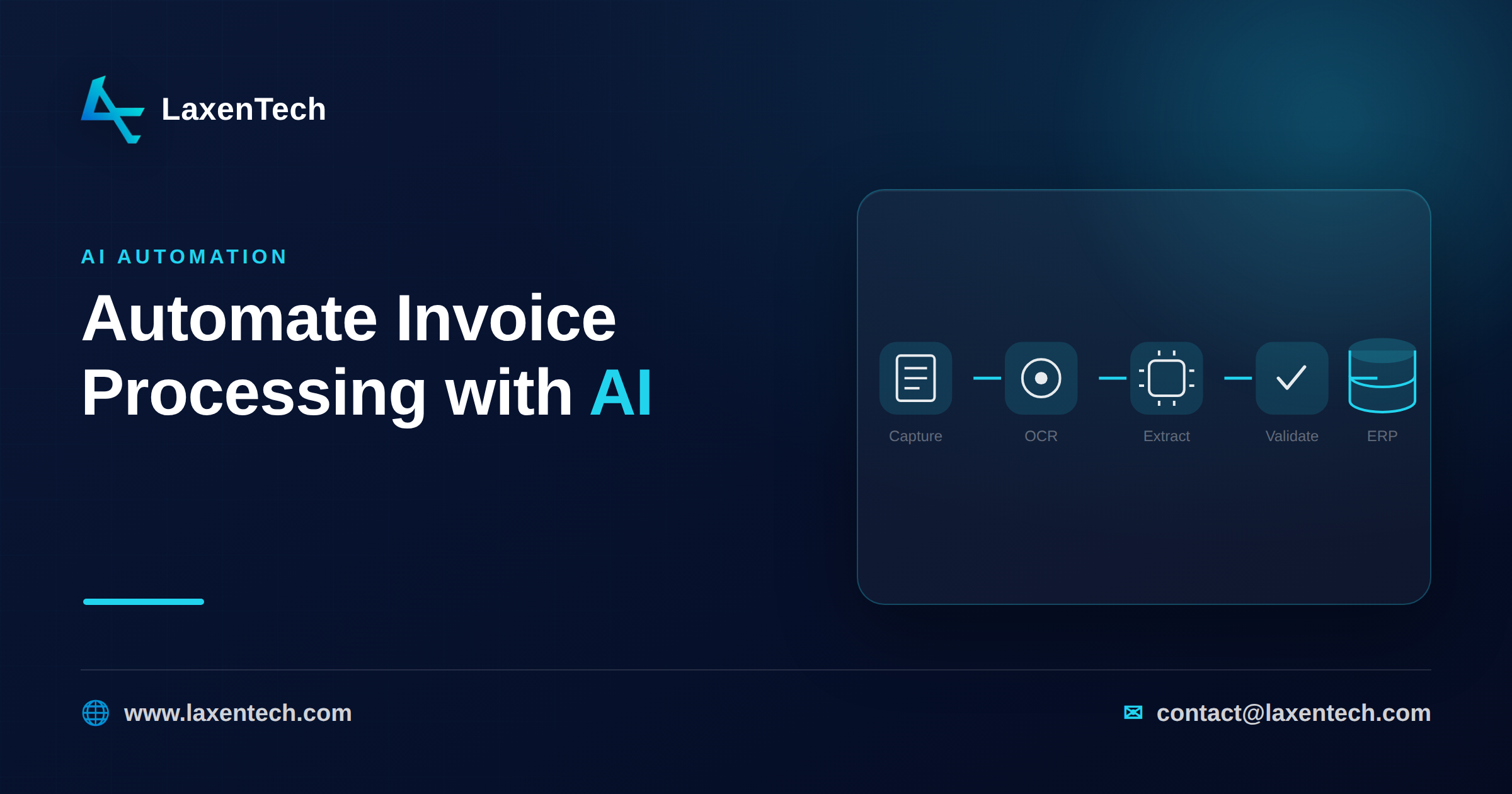
To automate invoice processing with AI, you build a pipeline that captures each invoice, reads it with OCR, pulls the fields you care about with machine learning, checks those fields against your own rules, routes anything doubtful to a person, and posts the clean result to your ERP. AI’s real job here is the reading and the matching. Everything downstream is plumbing and policy.
That’s the honest short version. Most guides on this topic are product pitches dressed as advice. This one isn’t. Here’s how the pipeline actually works, whether to build or buy it, and how to size the payoff before you spend anything.
What AP automation is, and where AI actually fits
Accounts payable automation gets an invoice from “it arrived” to “it’s paid and booked” with as little manual keying as possible. The old wave was mostly templates and rules: if the invoice comes from vendor X, the total lives in this corner of the page. That breaks the moment a vendor changes their layout.
AI changes the reading step. Instead of memorizing coordinates, a model learns what an invoice number, a line item, or a tax amount looks like across thousands of formats. This is what people mean by ai invoice processing or intelligent document processing. It doesn’t replace your controls. It replaces the tedious data entry underneath them.
How the invoice extraction pipeline actually works
Six steps, in order. Skip any of them and accuracy suffers somewhere you won’t notice until month-end.
1. Capture
Invoices arrive as email attachments, EDI feeds, portal downloads, scans, and the occasional phone photo. Capture normalizes all of that into one intake queue. A shared inbox with an API pulling attachments is enough to start.
2. OCR
Optical character recognition turns pixels into characters. A clean digital PDF already has a text layer. For a scan or a photo, ocr invoice processing does the heavy lifting, and quality matters: a skewed, low-contrast scan produces garbage no downstream model can fix. Good pipelines deskew, denoise, and check resolution before reading. Our PDF Enhancer handles OCR and batch conversion through a REST API, often the least glamorous and most load-bearing piece of the whole thing.
3. Field extraction with ML
Now the model reads structure. Header fields (vendor, invoice number, date, PO, totals, tax) and line items (description, quantity, unit price, amount). Modern extraction combines layout-aware models with language models that understand context, so “Net 30” gets tagged as payment terms, not a line item. This is the core of invoice data extraction, and it’s where a learned model beats a template every time a layout shifts.
4. Validation rules
Extraction gives you candidate values. Validation decides whether to trust them. Do the line items sum to the subtotal? Does subtotal plus tax equal the total? Is the vendor in your master file? Does the PO exist and have budget left? These deterministic checks catch both model mistakes and genuinely bad invoices. Each field carries a confidence score; anything below your threshold gets flagged.
5. Human review
Flagged invoices go to a person. Not every invoice, just the exceptions: low confidence, failed math, a new vendor, an amount over a threshold. This is human-in-the-loop, and it’s not a weakness. It’s the mechanism that lets you run high automation rates without gambling on the few percent the model got wrong.
6. Post to the ERP
The clean, approved record goes into NetSuite, SAP, QuickBooks, Dynamics, whatever you run, via API or connector. Three-way match (invoice, PO, receipt) happens here or just before. Now it’s ready for payment.
Accuracy, exceptions, and why human-in-the-loop matters
Nobody ships an invoice model at 100% straight-through. Aim for high automation on the easy majority and a fast exception path for the rest.
Two failure modes to watch. Silent errors, where the model is confident and wrong, are the dangerous ones. That’s why validation rules exist independently of the model: math doesn’t care how confident the model felt. Then there are honest unknowns, where confidence is low and the invoice routes to review. Those are cheap. A reviewer confirming a total takes seconds, and each correction becomes training data that lifts accuracy over time.
The other reason to keep humans in the loop early is drift. Vendors change formats, new suppliers appear, tax rules shift. A pipeline that monitors for accuracy decay catches that before it becomes a reconciliation mess.
Build vs buy the pipeline
Three realistic paths.
Off-the-shelf IDP tool. Fastest to stand up. You get capture, OCR, extraction, and common ERP connectors out of the box. The tradeoff: you fit your process to the tool, per-document pricing bites at high volume, and unusual document types or approval logic can be hard to bend. Good when your invoices are fairly standard and you want results this quarter.
Custom build. You own the pipeline end to end, tune extraction to your vendors, and integrate exactly into your systems. More upfront effort, and you need people who’ve built document ML before. Worth it when volume is high, documents are messy or specialized, or the workflow is genuinely yours.
Hybrid. The pragmatic middle, and where we usually land clients. Use proven components for the commodity parts (an OCR and batch API for capture and reading), then build the custom layer where your business logic lives: validation rules, exception routing, ERP integration. You skip reinventing OCR and spend your budget where it differentiates you.
Rule of thumb: if your invoices look like everyone else’s, lean toward buy. If your exceptions are the whole point, lean toward build or hybrid.
A transparent ROI model you can plug your numbers into
No invented results here. Use your own figures.
Start with the manual cost per invoice:
hours per invoice × loaded hourly rate = cost per invoice
Say a clerk spends 10 minutes (0.17 hours) keying and checking one invoice at a loaded $35/hour. That’s about $5.95 per invoice. At 4,000 invoices a month, roughly $23,800, or $285,000 a year in labor alone.
Now the automated cost. If 80% of invoices go hands-off and the other 20% need about 2 minutes of review each, that’s 800 reviewed invoices × 0.03 hours × $35 = $840/month, plus your platform cost.
Then add error reduction. Every duplicate payment or wrong amount carries recovery cost and sometimes real leakage, so catching a handful a month adds to the case.
The point isn’t our numbers. It’s the shape: (manual cost − automated cost − platform cost) × volume. Plug in your minutes, your rate, your volume, and a realistic automation rate. If payback lands inside a year, it’s usually worth doing.
A realistic rollout roadmap
Don’t boil the ocean. A workable sequence:
Pick one vendor segment or entity with clean, high-volume invoices.
Run a short proof of concept on real documents (we scope these as two-week POCs) to measure actual extraction accuracy on your data, not a demo set.
Ship straight-through processing for the confident majority; route the rest to review.
Add validation and three-way match against your ERP.
Monitor accuracy, watch for drift, and expand to messier vendors once the easy ones are stable.
Common mistakes
Chasing 100% automation instead of designing a fast exception path.
Trusting extraction without independent validation math.
Skipping OCR quality checks, so bad scans poison everything downstream.
Treating go-live as done. Models drift; monitoring isn’t optional.
Buying a tool before you’ve measured accuracy on your own invoices.
How LaxenTech helps
We build these pipelines the way this guide describes: data assessment, a two-week proof of concept on your real invoices, production deployment, then monitoring with drift detection and human-in-the-loop for accuracy. Our AI and automation service covers the extraction and workflow logic; PDF Enhancer handles OCR and batch processing through a developer-friendly REST API. Practical AI, not a hype demo. If you’re scoping a build, talk to us and we’ll size it against your volume.
For adjacent workflows, see our business process automation examples and guide to PDF workflow automation.
Frequently asked questions
How accurate is AI invoice data extraction?
Accuracy depends on document quality and how well the model is tuned to your vendors. Well-built pipelines hit high straight-through rates on clean invoices and route the rest to review. The right target is high automation with a fast exception path, not a single headline percentage.
Do I still need people if I automate accounts payable?
Yes, fewer on data entry and more on judgment. Human-in-the-loop reviewers handle exceptions and approvals, and their corrections train the model. You’re reallocating effort, not removing oversight.
Can this integrate with my ERP or accounting system?
That’s the goal. Approved invoices post via API or connector to systems like NetSuite, SAP, QuickBooks, or Dynamics, usually after a three-way match. Integration depth is often the hardest part of the build, so scope it early.
Should I build or buy invoice automation?
Buy if your invoices are standard and you want speed. Build if volume is high or your documents and workflow are unusual. Many mid-size finance teams land on a hybrid: proven OCR components plus a custom validation and integration layer.
How does OCR fit into AP automation?
OCR converts scanned or image-based invoices into machine-readable text so the extraction model can read them. Digital PDFs may already carry text, but OCR quality is decisive for scans and photos, which is why capture and preprocessing matter.
How long does it take to see ROI?
It depends on volume and labor cost, but many teams model payback inside a year using the formula above. A two-week proof of concept on real documents gives you a grounded estimate before you commit to a full build.
Automating invoice processing with AI isn’t magic and it isn’t one product. It’s a pipeline: capture, OCR, extraction, validation, human review, post to ERP, each step doing a specific job. Get the reading and the rules right, keep people on the exceptions, and measure it against your own numbers before you commit. If the ROI math works for your volume, it usually works in practice too. When you’re ready to scope one, we can help you size and build it.
LaxenTech Engineering
The engineering team at LaxenTech — building custom software, systems integration and AI-driven solutions.
Related posts
HIPAA-Compliant Software Development: A Practical Guide
A practical HIPAA compliance guide for healthcare software — access controls, encryption, BAAs and the mistakes that fail audits. Design it in from day one.
Fintech Software Development: Cost, Compliance & Process
Fintech software development explained — PCI DSS and SOC 2 compliance, secure architecture, and what a compliant build really costs and takes.
How to Build a Custom AI Chatbot for Your Business
How to build a custom AI chatbot for your business — RAG explained simply, build vs buy, guardrails against hallucination, and realistic cost and ROI.